-
Safety
- Specification
- Model Overview
- Component/Feature Overview
- Installation
-
Operation
- Tap Control Panel
- Basic Functions
- Advanced functions:
- Tap Control Panel - Measured Dispense
- Basic Functions - Measured Dispense
- Advanced Functions - Measured Dispense
- Measured Dispense - Settings
- E6 Installation & Water Connection
- Adding Countertop Drainage
- CO2 Bottle Installation - Sparkling Versions Only
- Sparkling Water Flow Rate - Sparkling Versions Only
- Hot Tank Commissioning- Hot Versions Only
- Maintenance & Cleaning
- Advanced Troubleshooting
-
Technical Information
- Chilled Only Circuit Schematic
- Chilled & Ambient Circuit Schematic
- Chilled & Sparkling (Measured) Circuit Schematic
- Chilled, Sparkling & Ambient Circuit Schematic
- Chilled, Ambient & Hot Circuit Schematic
- Chilled, Sparkling, Ambient & Hot Circuit Schematic
- Water Pathway - Chilled Only
- Water Pathway - Chilled & Ambient
- Water Pathway- Chilled & Sparkling (Measured)
- Water Pathway - Chilled, Sparkling & Ambient
- Water Pathway - Chilled, Ambient & Hot
- Water Pathway - Chilled, Sparkling, Ambient & Hot
- Spares
E6 Install & Operation Manual
Safety
This appliance can be used by children aged from 8 years and above and persons with reduced physical, sensory or mental capabilities or lack of experience and knowledge if they have been given supervision or instruction concerning use of the appliance in a safe way and understand the hazards involved. Children shall not play with the appliance. Cleaning and user maintenance shall not be made by children without supervision. Cleaning the lens is recommended every 2 weeks. Turn unit off when cleaning. Clean using screen cleaner.
The appliance shall only be maintained and repaired by authorized technicians who are properly trained and certified. The appliance should be isolated from the electricity supply before removal of any covers. Great care must be employed when working with high pressure carbon dioxide, and in no cases should the maximum operating pressure of 0.4MPa (4 bar) be exceeded.
- The appliance is not suitable for installation in an area where a water jet could be used.
- The appliance shall not be intended for use in lobbies or locations of egress, such as a hallway or public corridor.
- The appliance shall be placed on a stable horizontal surface to maintain adequate mechanical stability when in use, during transportation, during assembly, dismantling and testing.
- When in the event of an accident or breakdown, isolate the appliance from mains power, turn the water supply off and contact your distributor.
WARNING: Keep ventilation openings in the appliance enclosure or in the built-in structure clear of obstruction.
WARNING: When positioning the appliance, ensure the supply cord is not trapped or damaged.
WARNING: Do not locate multiple portable socket-outlets or portable power supplies at the rear of the appliance.
WARNING: Increased risk of a leak could occur through improper handling, movement or use.
This appliance is intended to be used in household and similar applications such as:-
- Staff kitchen areas in shops, offices and other working environments.
- Farm houses and by clients in hotels, motels and other residential type environments.
- Bed and breakfast type environments.
- Catering and similar non-retail applications.
A-weighted emission sound pressure level is below 70 dB(A).
 | R290 is a refrigerant-grade propane used on a wide range of commercial refrigeration and air conditioning units. A highly pure propane, it has a low environmental impact and nominal global warming potential (GWP), meaning it possesses no qualities that can destroy the ozone layer. R290 also is the preferred hydrocarbon alternative of the Environmental Protection Agency (EPA), substituting more harmful fluorocarbon refrigerants like R22, R134a, R404a and R502. Units with R290 can only be maintained and repaired by authorized technicians who are properly trained and certified. |
|---|
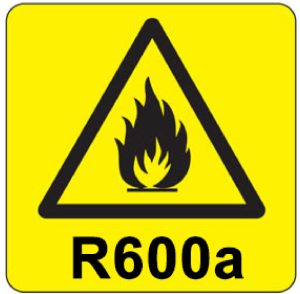 | R600a is a refrigerant-grade isobutane used on a wide range of commercial refrigeration and air conditioning units. A highly pure isobutane, it has a low environmental impact and nominal global warming potential (GWP), meaning it possesses no qualities that can destroy the ozone layer. R600a also is the preferred hydrocarbon alternative of the Environmental Protection Agency (EPA), substituting more harmful fluorocarbon refrigerants like R22, R134a, R404a and R502. Units with R600a can only be maintained and repaired by authorized technicians who are properly trained and certified. |
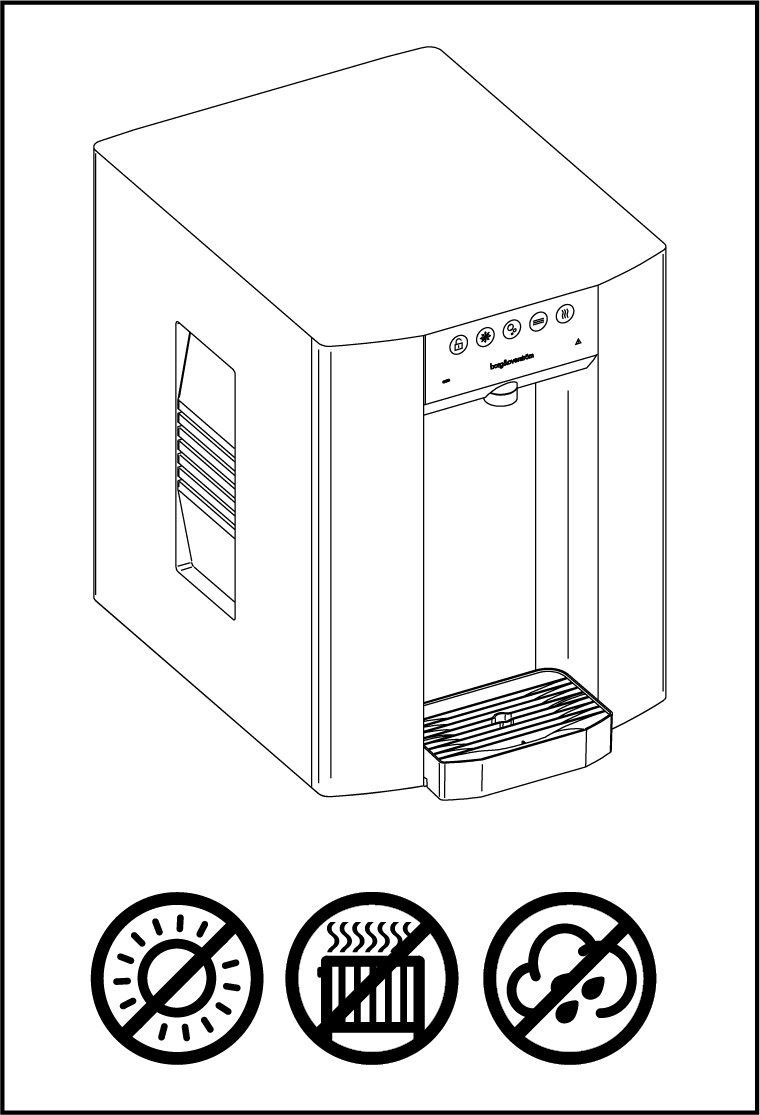
- Always place the dispenser in its vertical position, on a surface which can capably support its weight.
- During use this machine must remain in its upright position.
- Adequate ventilation must be allowed for.
- Keep the machine away from sunlight, heat and moisture.
- Power and water supply points must be available near the dispenser, and must meet the criteria specified in the ‘Specification’ section of this manual.
- The environment where this machine is installed must be free of dust and corrosive/explosive gases.
- Clean the lens every 2 weeks minimum using screen cleaner – ensure unit is off during cleaning.
Safe transportation:
- The appliance is susceptible to impact and requires careful handling to prevent damage or breakage during transportation.
- The appliance should be kept in an upright position and should not be tilted during transit and/or storage to prevent damage.
- The appliance is vulnerable to moisture and should be protected from rain and water.
Waste Electrical Products:
|  |
Specification
E6 - 230v
| COOLING SYSTEM | Stainless steel direct chill coil encased in a solid-block system for instant response cool down action. Ultra efficiency compression system with capillary control. Environmentally friendly R290 refrigerant. |
| POWER SUPPLY | 230-240v AC (50 Hz) |
| FUSE RATING | 10A |
| COLD TEMPERATURE FROM | 2°C |
| CHILLED & SPARKLING CAPACITY | 80L/h |
| HOT TEMPERATURE UP TO | 96°C |
| HOT CAPACITY | 15L/h |
| HOT TANK VOLUME | 1.5L |
| MAXIMUM RUNNING POWER CONSUMPTION - CHILLED & AMBIENT | 0.14kW-230v |
| MAXIMUM RUNNING POWER CONSUMPTION - CHILLED, SPARKLING & AMBIENT | 0.22kW-230v |
| MAXIMUM RUNNING POWER CONSUMPTION - CHILLED, AMBIENT & HOT | 1.5kW-230v |
| MAXIMUM RUNNING POWER CONSUMPTION - CHILLED, AMBIENT, SPARKLING & HOT | 1.6kW-230v |
| RATED CURRENT - CHILLED & AMBIENT | 1.1A |
| RATED CURRENT - CHILLED, SPARKLING & AMBIENT | 1.5A |
| RATED CURRENT - CHILLED, AMBIENT & HOT | 6.5A |
| RATED CURRENT - CHILLED, AMBIENT, SPARKLING & HOT | 7.1A |
| QUANTITY OF REFRIGERATION GAS | R290 40g |
| DIMENSIONS | (w x d x h) 320 x 460 x 420mm |
| WEIGHT - CHILLED & AMBIENT | 18Kg |
| WEIGHT - CHILLED, SPARKLING & AMBIENT | 22Kg |
| WEIGHT - CHILLED, AMBIENT & HOT | 20Kg |
| WEIGHT - CHILLED, SPARKLING, AMBIENT & HOT | 23.5Kg |
| WATER CONNECTION | 3/4” BSP |
| INLET WATER TEMPERATURE | Up to 25°C |
| MINIMUM TO MAXIMUM INLET WATER PRESSURE | 0.05MPa (0.5 bar) - 1.0 MPa (10 bar) Internally regulated to 0.2 MPa (2 bar) |
| CO2 CONNECTION | 1/4” Push Fit |
| CO2 PRESSURE | 0.4MPa (4 Bar) Maximum |
| MINIMUM TO MAXIMUM AMBIENT ROOM OPERATING TEMPERATURE | 5-32°C |
| CLIMATIC CLASS | N |
E6 - 115v
| COOLING SYSTEM | Stainless steel direct chill coil encased in a solid-block system for instant response cool down action. Ultra efficiency compression system with capillary control. Environmentally friendly R290 refrigerant. |
| POWER SUPPLY | 110-120v AC (60Hz) |
| FUSE RATING | 10A |
| COLD TEMPERATURE FROM | 37°F |
| CHILLED & SPARKLING CAPACITY | 21.1 Gal/h |
| HOT TEMPERATURE UP TO | 187°F |
| HOT CAPACITY | 4 Gal/h |
| HOT TANK VOLUME | 0.4 Gal |
| MAXIMUM RUNNING POWER CONSUMPTION - CHILLED & AMBIENT | 0.18kW-110v |
| MAXIMUM RUNNING POWER CONSUMPTION - CHILLED, SPARKLING & AMBIENT | 0.24kW-110v |
| MAXIMUM RUNNING POWER CONSUMPTION - CHILLED, AMBIENT & HOT | 1.01kW-110v |
| MAXIMUM RUNNING POWER CONSUMPTION - CHILLED, AMBIENT, SPARKLING & HOT | 1.06kW-110v |
| RATED CURRENT - CHILLED & AMBIENT | 2A |
| RATED CURRENT - CHILLED, SPARKLING & AMBIENT | 2.6A |
| RATED CURRENT - CHILLED, AMBIENT & HOT | 8.5A |
| RATED CURRENT - CHILLED, AMBIENT, SPARKLING & HOT | 9.2A |
| QUANTITY OF REFRIGERATION GAS | R290 37g |
| DIMENSIONS | (w x d x h) 12.6 x 18.1 x 16.5'' |
| WEIGHT - CHILLED & AMBIENT | 39.7lbs |
| WEIGHT - CHILLED, SPARKLING & AMBIENT | 48.5lbs |
| WEIGHT - CHILLED, AMBIENT & HOT | 44.1lbs |
| WEIGHT - CHILLED, SPARKLING, AMBIENT & HOT | 51.8lbs |
| WATER CONNECTION | 3/4” BSP |
| INLET WATER TEMPERATURE | Up to 77°F |
| MINIMUM TO MAXIMUM INLET WATER PRESSURE | 7.3psi (0.05MPa) - 145psi (1.0MPa) Internally regulated to 29psi (0.2MPa) |
| CO2 CONNECTION | 1/4” Push Fit |
| CO2 PRESSURE | 58psi (0.4Mpa) Maximum |
| MINIMUM TO MAXIMUM AMBIENT ROOM OPERATING TEMPERATURE | 41-90°F |
| CLIMATIC CLASS | N |
Model Overview
Introduction
The latest evolution in sustainable water dispensing, the E6 combines intelligent eco-friendly technology, energy-efficiency and powerful performance in every pour.
Featuring advanced energy-saving EcoMode technology and antimicrobial touch panel protection, the E6 is perfect for filling water bottles, glasses or carafes with freshly-filtered chilled, ambient, sparkling or hot water, all at the touch of a button.
Component/Feature Overview
E6 - Major Components
Contents:
1 no E6 Unit
1 no Power Cord Set

Please Note:
Mains Installation Kit & Filters are supplied as extra items
according to individual ordering requirement.
*Sparkling versions only
Dimensions

Base Cabinet Dimensions


Installation
Installation Requirements
Identify a suitable location for the appliance. It should be positioned within 2.0m of suitable services connections. Allow 15cm of free space at the rear for ventilation.
The appliance must be installed in accordance with the relevant requirements of:
- The appropriate building regulations by application of either The Building Regulations (England and Wales), The Building Regulations (Scotland) or The Building Regulations (Northern Ireland). In territories other than those listed the local regulations in force must be complied with.
- The Water Supply (Water Fittings) Regulations (England, Wales and Northern Ireland) or The Water Byelaws in Scotland.
The appliance must not be installed where it is liable to freeze. If the appliance is thought to be frozen it must not be switched on. It should be allowed to thaw and must then be thoroughly inspected to ensure it is undamaged. No water leakage allowed to contact the mains switch or mains inlet coupler.
Service Requirements
- Water: Mains potable water
- CO2: Food Grade CO2 to be supplied
- Electricity: 10A supply- Earth Leakage Protection Required (For USA & Canada, the supply must be protected by a ground-fault circuit interrupter (GFCI))
Operation
Tap Control Panel

6. ‘eco’ Mode Symbol 7. Warning Symbol.
Note: Chilled, Sparkling, Ambient & Hot Version shown.
Note: 6 and 7 will only appear when unit is in 'eco' mode or unit has a fault.
Basic Functions
Dispensing cold water:
Press and hold dispense icon and release to finish dispense.
• Chilled icon pulsing – Dry Block is above 10 degrees and chilling down.
Dispensing hot water:
Press the unlock icon and then press and hold the hot button to dispense.
• Hot icon pulsing – Hot tank is below 80°C degrees on 230v units/ 161°F on 110v units.
‘Eco’ mode:
‘Eco’ mode symbol illuminates when the appliance is in ‘eco’ mode. To awaken the appliance, press and hold any dispense icon. The appliance will activate ‘eco’ mode in the below instances:
• Dispense inactivity
• Low light level
Warning symbol:
‘Warning triangle’ symbol will illuminate and flash upon a fault. The number of flashes relates to a particular fault. Click to view fault codes
Connectivity:
• Bluetooth hands free app dispense
• Bluetooth alarmed waste kit enabled
• Foot switch operation enabled
Advanced functions:
Hold ‘Hot Unlock Icon’ for 20 seconds to take the appliance out of commission mode.
To revert to back to commission mode, tap the chilled icon 12 times and hold on the 12th. 2 beeps will indicate the memory reset is complete and will self restart after 2 seconds.
To turn on/off eco mode, tap the chilled icon 7 times and hold on the 7th. 2 beeps will indicate Eco is on and 1 beep will mean Eco is off.
To turn on/off Bluetooth waste, tap the chilled icon 5 times and hold on the 5th. 2 beeps will indicate on and 1 beep will indicate off.
Note: Functions can only be changed within 10 minutes of the appliance being switched on.
Tap Control Panel - Measured Dispense

5. ‘eco’ Mode Symbol, 6. Warning Symbol.
Note: 5 and 6 will only appear when unit is in 'eco' mode or unit has a fault.
Basic Functions - Measured Dispense
Dispensing cold water:
Press and hold dispense icon and release to finish dispense.
- Chilled icon pulsing – Dry Block is above 10 degrees and chilling down.
To dispense measured water:
Tap either measured icon and then tap the chilled or sparkling icon, you have ~2sec to select chilled or sparkling water after touching the measured icon.
Note: You do not need to hold down any icon.
‘Eco’ mode:
‘Eco’ mode symbol illuminates when the appliance is in ‘eco’ mode. To awaken the appliance, press and hold any dispense icon. The appliance will activate ‘eco’ mode in the below instances:
• Dispense inactivity
• Low light level
Warning symbol:
‘Warning triangle’ symbol will illuminate and flash upon a fault. The number of flashes relates to a particular fault. Click to view fault codes
Connectivity:
Bluetooth alarmed waste kit enabled.
Advanced Functions - Measured Dispense
To turn on/off eco mode, tap the chilled icon 7 times and hold on the 7th. 2 beeps will indicate Eco is on and 1 beep will mean Eco is off.
To turn on/off Bluetooth waste, tap the chilled icon 5 times and hold on the 5th. 2 beeps will indicate on and 1 beep will indicate off.
Measured Dispense - Settings
To reset/set the measured amount:
Press and hold the half or full measured icon for ~20sec until you hear a long audible beep. The icon will then flash on and off to show you that you are setting up that dispense option.
Press and hold the chilled icon until the desired amount is dispensed. Note: The measured icon will still flash during this dispense.
A double beep will be confirmation that this measurement is then stored in memory and will dispense the same quantity of chilled or sparkling water. If the incorrect amount is dispensed, start again.
Set back to factory default setting:
Default values have been set to 350ml and 700ml. To restore default settings, tap the chilled icon 12 times and hold on the 12th. You will hear 2 beeps, wait 2 seconds and the unit will reset.
E6 Installation & Water Connection
The use of a Borg & Overström installation kit is highly recommended. All kits have been designed to include all the parts you need to safely and correctly install our dispensers. To ensure you select the correct kit for the model you’re installing, please visit the website or contact our support team.
All installations of water dispensers must include a water block. A water block is conveniently included in every one of our installation kits. If you’re not a using Borg & Overström installation kit, ensure you install a water block – failure to do so will negate any insurance claims for water damage resulting from water dispenser malfunction.
The Water Block should be installed between the water tap and the appliance’s supply pipe. Using the supplied wrench, rotate indicator ‘P’ anti-clockwise until it reaches Setting 2. Note: If the valve triggers and shuts off the water, it must be manually reset by disconnecting it from the tap.
For installation kits and water blocks please see our store here.
NOTE: The water filters on the supply line to the unit needs to be pre-flushed prior to the water connection to the appliance.


With hot water versions fill the hot tank until you see water dispense.


Adding Countertop Drainage
If you require drainage to the driptray when the dispenser is used on a countertop. We recommend you use a hole cutter so your drainage tube can be connected to the mains or to a waste kit in the cupboard below.
Dimensions to help you cut the aperture in the correct position are shown below.

CO2 Bottle Installation - Sparkling Versions Only


Sparkling Water Flow Rate - Sparkling Versions Only
NOTE: Sparkling water flow rate factory setting = 2.4L per minute MAX. This may need adjusting depending on inlet pressure. To do so follow below steps:


Once the correct flow rate is achieved place the cover back on to the unit by sliding it in place and replacing the screws.
Hot Tank Commissioning- Hot Versions Only


Maintenance & Cleaning
Sanitisation Guide
The product is supplied from the factory in clean condition, but we recommend that a sanitisation procedure is caried out at the point of installation, according to the sanitisation instruction relevant to this model, which can be found in the respective Instruction & Operation Manual.
NOTE: Failure to use sanitising materials and processes approved and/or recommended by Borg & Overström could invalidate your warranty.

This operation must only be carried out by trained staff.

A sanitisation procedure is recommended every 6 months.

Turn off incoming mains water

Briefly press chilled dispense button to release internal water pressure from the machine.

Remove the existing filter

Use hand gel and put on protective gloves.

Add 25 ml of Hydrogen Peroxide (H2O2 3%) sanitising solution to a clean and empty service filter cartridge.

Connect to filter head.

Turn on incoming water, allow the service filter cartridge to fill

Dispense water using the chilled button. Repeat with sparkling & ambient water buttons.

Leave the solution inside machine for sanitisation to take effect (minimum 5 minutes) while thoroughly cleaning the dispenser externally. (All maintenance operations must be carried out with the dispenser switched off.)

Pay particular attention to the dispense faucet and the push button controls. For this use Sterizen External Sanitiser and Sanitising Wipes.

Remember to include the drip tray. If a Waste Overflow System is fitted, empty this and flush through with a small amount of sanitisation fluid if needed.

Attend to any cosmetic marks as needed. For this we recommend the use of Hydrogen Peroxide (H2O2 3%) sanitising solutions.

Reconnect the power and switch on the dispenser.

When the external cleaning is complete, flush the system through each dispense option (Chilled, Sparkling, Ambient), until clean water appears.

Turn off water and briefly press chilled dispense button to release internal water pressure from the machine.

Remove the service filter. Retain service filter for reuse.

Fit new filter and turn on incoming water supply.

Pre-flush the new filter to waste using the chilled button until 5L of water has flushed through. Repeat this through all dispense options.
  | Please note that this sanitisation fluid contains an active caustic/alkaline agent. Always use responsibly and with care remembering that due to its alkaline nature unnecessary concentrated/prolonged contact with any materials, including metals, can cause damage. Always rinse all contact surfaces after use with clean water. |   | Avoid skin contact and wear protective gloves when handling sanitisation fluids. In the event of any skin contact, flush immediately with clean, cold water. |
Emptying the CO2 Tank


Draining the Hot Tank
NOTE: FIRST ENSURE THE UNIT IS PUT BACK INTO COMMISSION MODE BEFORE PROCEEDING (See Advanced Functions)
To drain the hot tank proceed with the following steps:


Once the tank is fully drained ensure the bung is then fully pushed back in.
Advanced Troubleshooting
Fault Diagnostics
| Problem/Report | Possible Cause | Suggested Action |
|---|---|---|
| No Water Dispensing | Power supply turned off | Check the power supply has been fitted properly and turned on. |
| Water Pressure Regulator | Check water flow through the regulator. Replace if necessary. |
|
| Check Tap HMI Control | Check fault codes. | |
| Water isolated from machine | Check water inlet supply. | |
| Leak detection in unit triggered | Disconnect the power and water supply, check for leaks. | |
| Commissioning mode | Ensure hot tank is full by dispensing hot option and then take unit out of commissioning mode. | |
| Lock icon not pressed | To dispense from hot, press the lock symbol first then hot shortly after. | |
| Over freezing | Check temperature probe is fully inserted into the DryChill block. Turn power off and leave the appliance off overnight. If the problem persists, contact your distributor. |
|
| No Sparkling Water | No CO2 pressure | Check CO2 bottle, regulator and non-return valve. Supply pressure should be 58 psi (4bar), replace as necessary. |
| Carbonator tank not filling | Check carbonator probe for possible short circuit to ground. Check for pump timeout, cycle power off & on then purge carbonator. |
|
| Poor Quality Carbonation | Incorrect CO2 pressure | Check CO2 bottle, regulator and non-return valve. Supply pressure should be 58 psi (4bar), replace as necessary. |
| Air in carbonator tank | Refer to installation and water connection section to see how to purge the carbonator tank. | |
| Residue in carbonator tank | After prolonged use, a surface film can develop within the carbonator tank. Refer to cleaning and sanitising instructions. | |
| Warm Drinks | Insufficient cooling air flow through the fridge | Check that the condenser is not blocked. Check supply to cooling fans. If supply present replace fans. If supply not present move on to the compressor. |
| Compressor not running | Check supply to compressor (115/230V AC). Check NTC probe is not faulty. Check for system over heat. Allow the unit to cool and check for airflow obstructions. Once the unit has cooled the fridge system will restart. If the problem persists contact technical support. |
|
| Fridge failure | If compressor & fan are running and there is no cooling contact technical support. | |
| Water lying on top edge of lower door panel and/or bottom of cabinet | Overflowing drip tray or waste container | Empty waste container and check drainpipe is not blocked. |
| Water lying in bottom of machine | Leak in pipe work and/or filter | Contact your distributor. |
| Bleeping noise | Level sensor fitted and waste tank full | Empty waste tank. |
| Internal leak detect alarm | Check there is no internal leak. | |
| Not all symbols displayed | Unit is in heater commissioning mode | See hot tank commissioning section. |
| Temperature not hot enough | Mid heating cycle | If the hot icon is pulsing then unit is not at correct temperature. Wait for solid light. |
| Temperature probe not installed correctly or damaged | Ensure temperature probe is correctly installed or request replacement. | |
| Water demand too high | See product specification. | |
| Element not working | Check and replace as required. | |
| Dripping | Heater over heating | Ensure temperature probe is correctly fitted and not damaged. |
| Continuous or incorrect dispense | Poorly seated HMI lens | Replace lens assembly. |
| Excess water on lens | Ensure you keep lens clean and clear of liquids. |
Fault Codes
Internal leak sensor- including 10 red flashes of dispense area

Internal overheat triggered

Carbonator can not filling

Boiler not heating correctly

Waste kit full

Boiler dry fire

Technical Information
Chilled Only Circuit Schematic

Chilled & Ambient Circuit Schematic

Chilled & Sparkling (Measured) Circuit Schematic

Chilled, Sparkling & Ambient Circuit Schematic

Chilled, Ambient & Hot Circuit Schematic

Chilled, Sparkling, Ambient & Hot Circuit Schematic

Water Pathway - Chilled Only

Water Pathway - Chilled & Ambient
Water Pathway- Chilled & Sparkling (Measured)
Water Pathway - Chilled, Sparkling & Ambient
Water Pathway - Chilled, Ambient & Hot
Water Pathway - Chilled, Sparkling, Ambient & Hot
Spares
E6 Exploded Parts Diagram
All components shall be replaced by a factory authorized technician with manufacturer approved components (listed below), to minimize the health and safety risks of electrical hazard and fire risk due to incorrect parts or improper service.
Spares List
Category 1. Safety Critical Spares
| Part No. | Description | C | CA | CS | CAH | CSA | CSAH | |
|---|---|---|---|---|---|---|---|---|
| 720337 | PCBA Main Control Board Assembly | • | • | • | • | • | View in store | |
| 720800 | Measured Dispense PCBA Main Control Board Assembly | • | View in store | |||||
| 700154 | E6 LED board | • | • | • | • | • | • | View in store |
| 702558 | Cooling Fan 24v with Loom | • | • | • | • | • | • | View in store |
| 702800 | Diaphragm Booster Pump - Low Flow Rate Sparkling Water Pump 115v | • | • | View in store | ||||
| 702770 | Diaphragm Booster Pump - Low Flow Rate Sparkling Water Pump 230v | • | • | • | View in store | |||
| 702317 | E-series Hot Water Tank 115v | • | • | View in store | ||||
| 702488 | E-series Hot Water Tank 230v | • | • | View in store | ||||
| 720401 | UV Assembly Spares Kit | • | • | • | • | • | View in store | |
| 702078 | FS-16 Flow Switch | • | • | • | • | • | View in store | |
| 720936 | E6 Chilled Only Touch Control Panel (HMI) | • | View in store | |||||
| 720295 | E6 Chilled & Ambient Touch Control Panel (HMI) | • | View in store | |||||
| 720932 | E6 & T3 Chilled & Sparkling Measured Dispense Touch Control Panel (HMI) | • | View in store | |||||
| 720365 | E6 & T3 Chilled, Ambient & Hot Touch Control Panel (HMI) | • | View in store | |||||
| 720289 | E6 Chilled, Sparkling & Ambient Touch Control Panel Assembly (HMI) | • | View in store | |||||
| 720372 | E6 & T3 Chilled, Sparkling, Ambient & Hot Touch Control Panel Assembly (HMI | • | View in store | |||||
| 701711 | E6 Dispense Manifold | • | • | • | • | • | • | View in store |
| 720023 | Temperature Probe | • | • | View in store | ||||
| 702878 | All-in-one Sensor Loom with KK Connectors | • | • | • | • | • | • | View in store |
| 702787 | Congress Solenoid loom | • | • | • | • | • | • | View in store |
| 701588 | 90-Degree Solenoid Valve - 3/4” BSP x 8mm Push-Fit connection for E6 & E7 | • | • | • | • | • | • | View in store |
| 701886 | 8mm PRV 2 Bar | • | • | • | • | • | • | View in store |
| 702146 | Flow restrictor 8mm - 8mm JG - nylon | • | • | View in store | ||||
| 701729 | 8mm PF Solenoid Valve 24VDC | • | • | • | View in store | |||
| 701937 | 2:1 Dispense Solenoid Valve 8mm | • | • | • | View in store | |||
| 701992 | 3:1 Dispense Solenoid Valve 8mm | • | • | View in store | ||||
| 702891 | 8mm Flow Sensor | • | View in store | |||||
| 637329 | Sparkling Water Flow Control Valve | • | • | • | View in store | |||
| 462667 | Single Check Valve 5/16" (8mm) PF | • | • | • | View in store | |||
| 462668 | Single Check Valve 1/4" Push Fit | • | • | • | View in store |
Category 2. Cosmetic Spares
| Part No. | Description | C | CA | CS | CAH | CSA | CSAH | |
|---|---|---|---|---|---|---|---|---|
| 701630 | E Series Top Panel Moulding | • | • | • | • | • | • | View in store |
| 701678 | E Series Side Panel Moulding | • | • | • | • | • | • | View in store |
| 702984 | E-Series Front Panel Assembly - Matt Black | • | • | • | • | • | • | View in store |
| 720383 | E-Series Front Panel Assembly - Silver | • | • | • | • | • | • | View in store |
| 701656 | E Series Drip Tray without drainage | • | • | • | • | • | • | View in store |
| 701657 | E Series Drip Tray Grill | • | • | • | • | • | • | View in store |
| 701486 | E6 Steel Outlet Shroud | • | • | • | • | • | • | View in store |
Category 3. Contact support for any required spares not listed above.
Borg & Overström
Synergy House,
Fakenham Road,
Morton on the Hill,
UK
NR9 5SP